

Stop Config Nightmares! The Ultimate YAML vs JSON Converter Guide
Struggling with YAML indentation errors or swimming in JSON curly braces? Discover this professional online YAML/JSON converter with bidirectional conversion, real-time preview, and syntax validation.
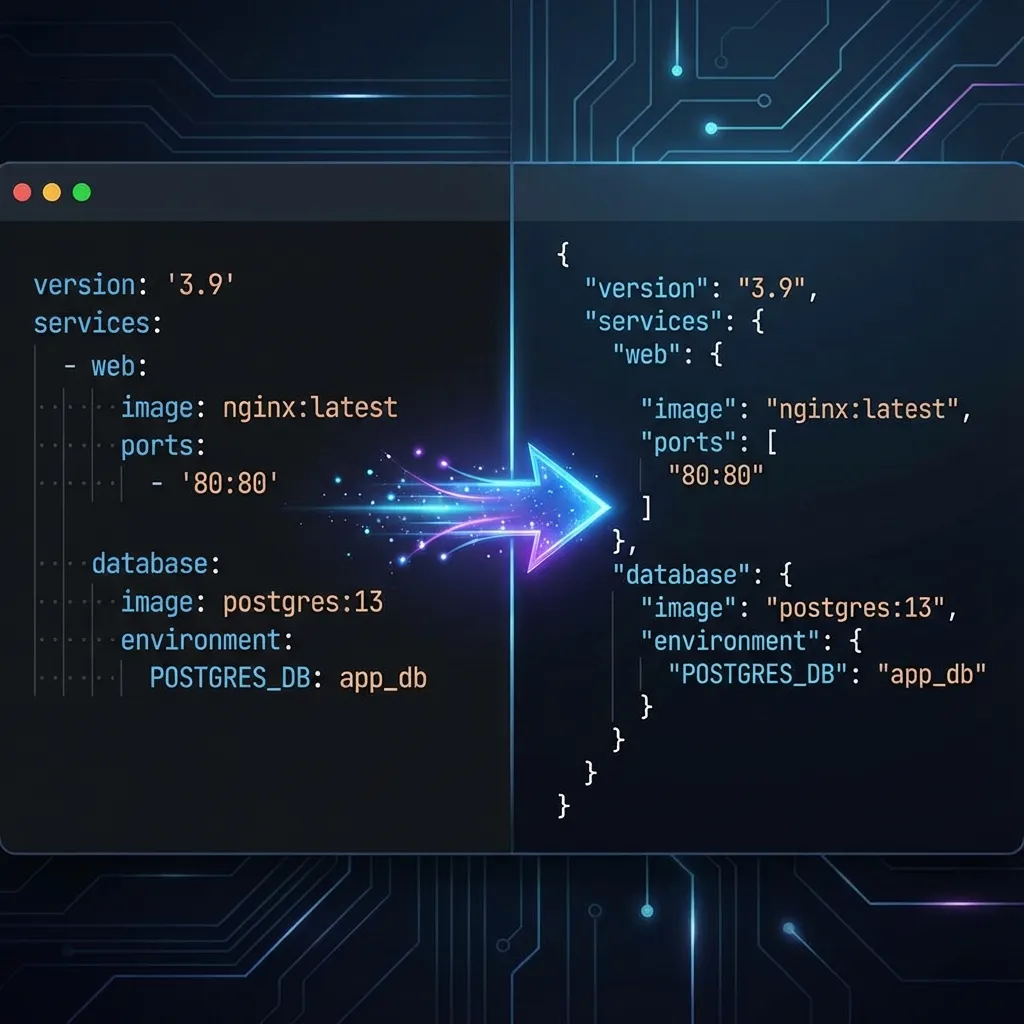
Have you ever experienced that moment of panic: you’ve painstakingly written a Kubernetes configuration file, only to have deployment fail because of an invisible indentation error? Or maybe you’ve grabbed a large chunk of JSON data from an API and wanted to convert it into a more readable YAML format for documentation, only to find yourself endlessly deleting quotes and brackets?
For developers and DevOps engineers, YAML and JSON are like two sides of the same coin. YAML is incredibly human-readable, concise, and elegant; JSON is the universal language for machine communication, rigorous and standardized. In our daily work, we constantly flip between the two.
Today, I want to recommend a YAML/JSON Converter designed to end this “format anxiety.” No software download required—open your browser and liberate yourself from endless Ctrl+C and Ctrl+V specific formatting fixes.
Why Do Your Config Files Always Break?
Before diving into the tool, let’s talk about why converting between these formats is so hair-pulling.
YAML (YAML Ain’t Markup Language) is famous for its “what you see is what you get” hierarchy, making it the top choice for config files (like Docker Compose, Kubernetes). But its fatal weakness is indentation. One missing space, one extra Tab, and the whole file breaks—often invisibly to the naked eye.
JSON (JavaScript Object Notation) is the lingua franca of the Web. It has a strict structure, requiring closed braces {}, brackets [], and double quotes for all keys. While machines love it, manually writing or editing a massive JSON file is a vision test no human should endure.
When you need to turn a complex JSON API response into a YAML config, or vice versa, manual conversion is not only slow but error-prone. That’s why you need a professional tool.
Why Choose This YAML/JSON Converter?
There are many converters out there. Why should this one be in your bookmarks?
1. Pure Frontend Processing, Zero Privacy Leaks
I bet you hesitate to paste production config files (which might contain keys or secrets) into random server-side conversion sites. Our YAML/JSON Converter uses pure frontend technology. This means your data is calculated and converted entirely within your browser and never uploaded to any server. You can even use it offline.
2. Bidirectional Conversion, Real-Time Preview
Many tools are one-way streets, requiring a page refresh to switch directions. Our tool supports one-click direction switching. Input on the left, result on the right. This “split-screen” mode lets you Code Review as you convert.
3. Intelligent Error Tolerance & Syntax Highlighting
If your pasted JSON is missing a comma, or your YAML indentation is off, the tool immediately highlights the error location instead of spitting out garbage. For deeper JSON debugging and beautification, you can pair it with our JSON Formatter.
Tutorial: Master Config Conversion in 3 Steps
Whether you’re a frontend dev needing to insert JSON snippets into YAML, or a backend dev analyzing JSON logs as YAML, the process is simple.
Step 1: Choose Your Mode
Open the YAML/JSON Converter. You’ll see two clear buttons at the top:
- YAML to JSON: Perfect for converting config files into API payloads.
- JSON to YAML: Ideal for turning API data into readable config documentation.
Step 2: Paste and Auto-Convert
Paste your code into the left input box. Magic happens: the right side immediately shows the converted code. You don’t need to click a “Convert” button (though we provide one); the tool responds to your every keystroke.
Pro Tip: The tool comes pre-loaded with standard English example data. By observing the examples, you can quickly understand the mapping between formats, like how a YAML list
- itemcorresponds to a JSON array["item"].
Step 3: One-Click Copy & Verify
Click the “Copy” icon in the top right to grab your result. If you’re doing version migration, your converted code might need to be compared against an old version. In that case, use our Text Diff Tool to spot specific differences.
Advanced Tips: Handling Complex Scenarios
As a power user, here are a few pitfalls to avoid:
- Lost Comments: Note that the JSON standard does not support comments. Therefore, when you convert YAML (which supports comments) to JSON, all
#comments will be lost. This is a format limitation, not a tool bug. If you need to keep comments, consider adding them as specific Keys (e.g.,_comment: "...") in your data. - Handling Large Files: While the tool runs locally, browsers have memory limits. For massive config files over 10MB, we recommend converting in chunks to keep the page responsive.
- Data Type Traps: In YAML,
On,Off,Yes,Noare sometimes parsed as booleans (true/false). After converting to JSON, always double-check that these special values match your type expectations.
FAQ
Q: Does this tool support JSON with comments (JSONC)? A: In standard conversion mode, we follow the strict JSON specification (no comments). If inputting JSON with comments, you may get a syntax error. We recommend removing comments first.
Q: Why did the order of my keys change after conversion?
A: A JSON object is inherently an unordered collection of key-value pairs. While most parsers preserve order, strictly speaking, {"a":1, "b":2} and {"b":2, "a":1} are equivalent. YAML-to-JSON conversion may not strictly preserve the original key order, but this does not affect program readability.
Q: Can I use this on mobile? A: Absolutely. Our interface is fully responsive, adapting perfectly to both large PC screens and mobile devices, making it easy to check and convert data on the go.
Conclusion
In today’s world of DevOps and full-stack development, converting between YAML and JSON is inevitable. Instead of manually fixing formats and worrying about indentation errors every time, hand this tedious work over to a professional tool.
The YAML/JSON Converter not only saves you time but ensures the accuracy and security of your configuration files. Stop letting format issues break your flow—try it now!